AI Metadata Generator for Adobe Stock & Microstock
GenMeta generates relevance-ranked titles, descriptions, and keywords for your photos, videos, and vectors optimized for Adobe Stock, Shutterstock, Freepik, and more.
Windows 10/11 · Free Plan Available · No Credit Card Required
Features
Everything between export and upload.
GenMeta replaces the spreadsheet, the keyword tool and the manual copy-paste with a single desktop app.
AI Metadata Generator
Generate titles, descriptions, keywords, and categories from your images, vectors, and videos using state-of-the-art vision models.
Bulk Metadata Generation
Process large batches of hundreds or thousands of creative files in a single pass instead of writing metadata one file at a time.
Stock Photo Keyword Generator
Create relevant, ordered keywords designed for stock content, placing critical marketplace search terms first.
Vector Metadata Generation
Generate accurate tags and descriptions for vector illustrations, EPS and SVG artwork without manually describing every layer.
Stock Video Metadata
Generate titles, descriptions, and keywords for your stock footage and video clips covering framing, motion, and resolution.
Metadata Embedding
Embed generated metadata directly into supported files via EXIF, IPTC and XMP so your titles and tags travel with your files.
Custom AI Instructions
Add your own prompts and rules to control keyword limits, exclude banned terms, and match your agency submission style.
CSV & Agency Export
Export agency-ready CSV spreadsheets formatted for Adobe Stock, Shutterstock, Freepik, Getty/iStock, and Alamy.
How it works
From folder to CSV in four steps.
- 01
Install the desktop app
A lightweight installer for Windows 10 and 11.
- 02
Add your files
Drag in a folder of images, videos or vectors.
- 03
Generate metadata
Titles, descriptions and keywords are written for every file.
- 04
Review and export
Edit anything inline, then export for your agency of choice.
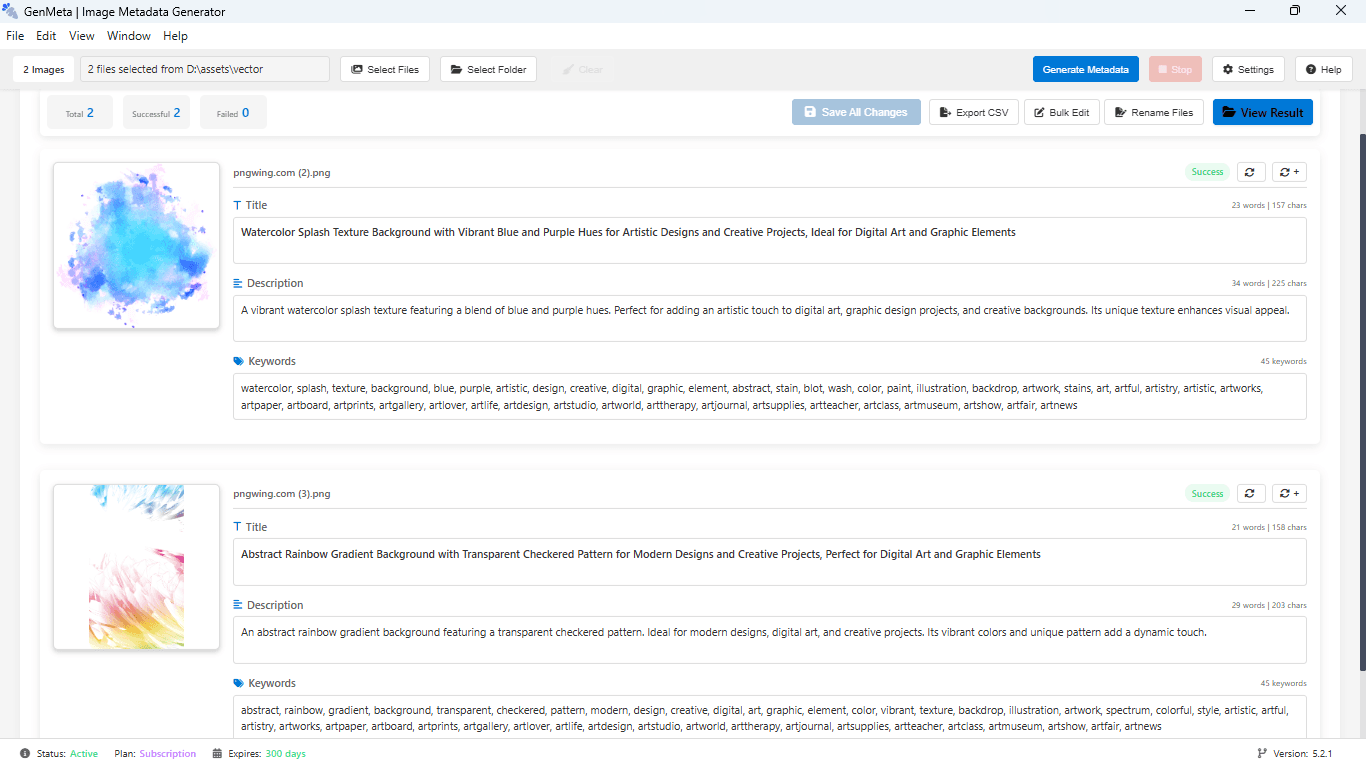
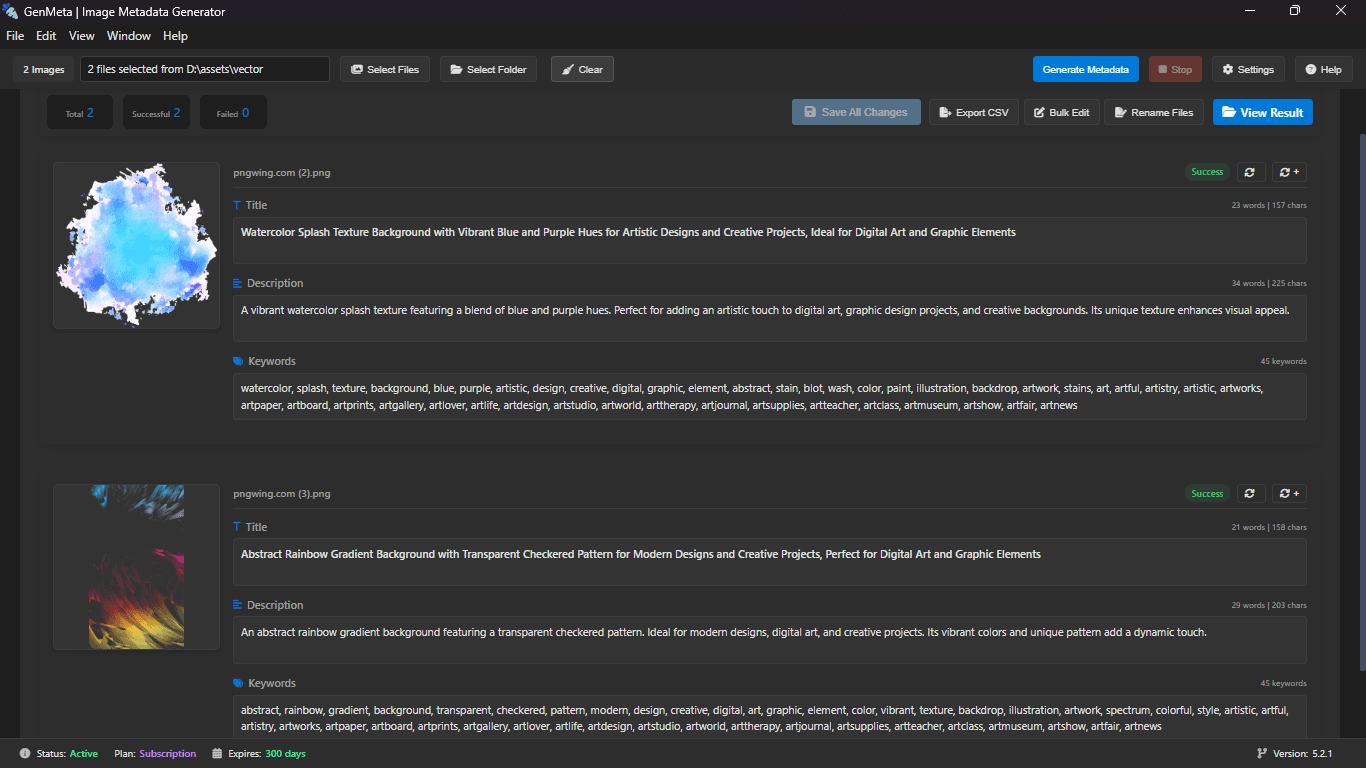
- Title 91 chars
Watercolor Splash Texture Background with Vibrant Blue and Purple Hues for Artistic Designs
- Description 158 chars
A vibrant watercolor splash texture blending blue and purple hues. Ideal for adding an artistic touch to digital art, graphic design and creative backgrounds.
- Keywords 45 keywords
- watercolorsplashtexturebackgroundbluepurpleartisticabstractpaintstainwashcreativeillustrationbackdrop+31
Privacy & Desktop Control
Your Files Stay on Your Computer.
GenMeta is built as a desktop application, giving creators more control over their workflow. Your original creative files can remain on your computer while you generate and manage metadata.
Unlike web browser tools that require uploading gigabytes of creative assets over slow connections, GenMeta processes files locally on your machine and communicates only lightweight visual data for AI analysis.
Local-First Desktop App
Your full-resolution images, RAW captures, vectors, and master videos are never uploaded to remote storage.
Fast Folder Batch Scanning
Scan thousands of creative files directly from your SSD or external drive with zero bandwidth bottlenecks.
Direct Metadata Embedding
Embed EXIF, IPTC and XMP tags directly to your local files so metadata stays attached wherever your assets travel.
Engineered for Contributor Success
Better Metadata. Higher Acceptance. Free to Start.
Nobody keywords manually anymore — but generic AI tools flood your files with hallucinated, spammy tags that review teams reject and search algorithms bury. GenMeta is built specifically for microstock marketplaces, producing cleaner, relevance-ranked metadata that helps buyers find your content.
Start completely free. Download for Windows and get 50 free credits instantly — no credit card required.
True Relevance Ranking
Agencies like Adobe Stock prioritize the first 5 to 10 keywords. GenMeta puts primary subjects first instead of random or alphabetized filler.
Zero Hallucinations & Spam
Trained on stock visual criteria to tag genuine subjects, styles, and moods without adding irrelevant terms that cause review rejections.
Multi-Agency CSV & Embed
Prepare assets simultaneously for Adobe Stock, Shutterstock, Freepik, and major microstock distributors in their required formats.
Who it's for
Built for people who upload every week.
Photographers
Tag full shoots in one pass instead of file by file.
Illustrators
Precise, searchable descriptions for vectors and icons.
Videographers
Descriptive metadata for footage and motion assets.
Studios
Consistent metadata across large, multi-author catalogs.
Boost Your Microstock Sales with AI Powered Metadata.
Start on the free plan. Upgrade when you need unlimited processing and every export format.